2.2 版本有什麼新功能?
感謝來自世界各地用戶的回饋,我們很高興宣布發布 PTXprint 2.2 版本,並帶來了一些很棒的新功能。
完成(Finishing)分頁:
新增了一個與最終確定試印出版物相關的分頁,並具備一些強大的功能:
- 改進的 PDF 輸出選項(包括用於最快建立 PDF 的「螢幕(Screen)」選項)
- 新增功能,可在 PDF 中包含設定檔(Config)的設定(以便日後重新建立設定檔)
- 新增選項,可選擇用於雙色印刷的專色(spot color)
- 新增功能,可保留前 N 個版本(*_1、*_2、*_3 等)的 PDF
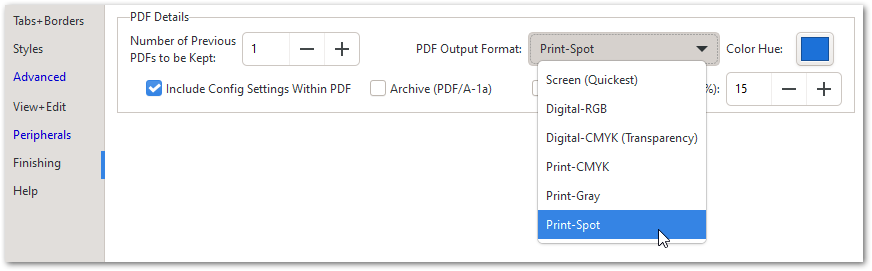
- 新增小冊子分頁(booklet pagination)功能(可建立 4、8、16 頁的書帖)

- 新增比較 PDF(Compare PDFs)功能,以顯示任何差異

導航與經文選擇:
- 新增搜尋設定(Search for settings)功能(可根據關鍵字尋找設定)
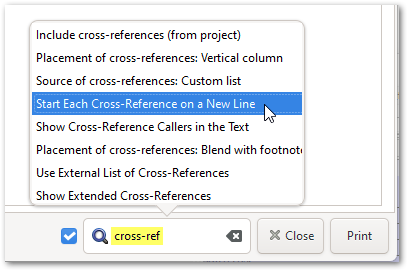
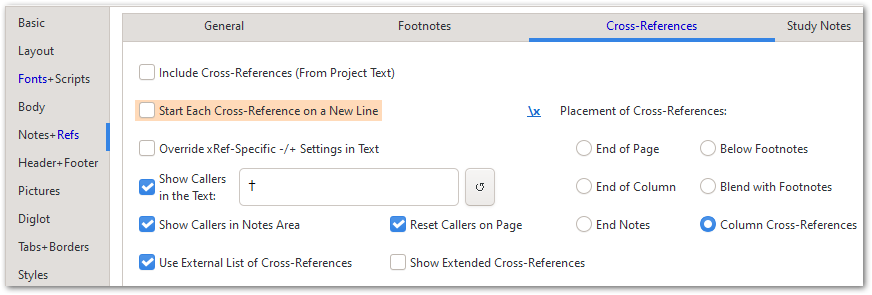
選擇一個主題會直接帶您到該設定並為您標記:
- 新增各種在工具提示中可見的鍵盤快捷鍵
- 允許使用如 PSA 23 或 JHN 2-4 的參考章節範圍
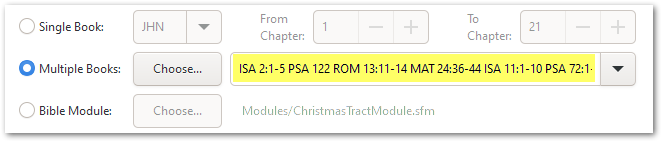
- 增強的書卷清單可包含參考清單(例如:PSA 23 LUK 15:11-32 GLO)
以及許多其他小幅改進,詳見有什麼新功能?頁面。
附註:由於三位開發者中有兩位在夏季休假,我們預計未來幾個月不會有重大增強功能。回覆帖子和問題也可能會有延遲。
What’s new in version 2.2?
Thanks to feedback from users around the world, we’re pleased to announce the release of PTXprint version 2.2 with some great new features.
Finishing tab:
A new tab related to finalizing a trial publication was added with some powerful features:
- Improved PDF Output options (including ‘Screen’ for fastest PDF creation)
- Added feature to include Config settings within PDF (to help recreate a config later)
- Added option to select a spot color for 2-color printing
- Added feature to retain N previous versions (*_1, *_2, *_3 etc.) of PDFs
- Added booklet pagination (with ability to create 4, 8, 16 page signatures)
- Added feature to Compare PDFs to show any differences
Navigation and Passage Selection:
- Added Search for settings (to find settings based on keywords)
Selecting a topic will take you directly to the setting and highlight it for you:
- Added various keyboard shortcuts visible in tooltips
- Allow reference chapter ranges like PSA 23 or JHN 2-4
- Enhanced book list can contain a list of references (like: PSA 23 LUK 15:11-32 GLO)
and a bunch of other minor improvements which are listed on the What’s new? page.
PS. With 2 of the 3 developers away for the summer, we are not anticipating any major enhancements for the next few months. There could also be a delay in responding to posts and issues.
機器翻譯自 English








